- Home
- PIC Projects
- Servo Motor
12F675 Tutorial 6 : Driving a standard servo motor with a PIC.
Servo motor driver tutorial. This tutorial uses the 12F675 microcontroller to drive a servo. The microcontroller generates the signals to control a standard servo using Timer 0 interrupts (I used a Futaba servo). It does not do anything clever just sets the servo position to predefined positions at one second intervals.
A Timer 0 interrupt
creates the 20ms
timebase for servo updates using the internal clock and prescaler to accurately
set the interrupt repeat rate.
Surprisingly servos
are absolutely simple to control all the hard work is done for you (in the
internals of the servo itself). All you need to do is generate a pulse signal
repeated at every 20ms (approx).
Jump to Solderless breadboard.
Jump to Circuit Diagram.
Jump to Software.
You need to generate a pulse of the correct time as this determines the servo's position. A pulse high signal of duration of 1.5ms sets the servo motor position to the center or zero degrees.
| Pulse width | Servo motor position |
| 1.0ms | +45º (clockwise rotation) |
| 1.5ms | zero position |
| 2.0ms | -45º (anti clockwise) |
Note: These are the normal settings acceptable to
most servo motors and the software is capable of going outside these ranges but
you have to check that your servo is capable of doing this. If the servo hits
the end stop then it is not capable and larger current will be drawn and the
servo will eventually damage itself.
Solderless breadboard
The circuit uses the same plugblock as before but most of the
components are not used - all you really need is the ICSP connection and the
servo connection, power supply and decoupling capacitors. The LM35DZ, LED and
MAX232CPC are not used. If you have them already then leave them on as they can
be used later.

Circuit diagram

12F675 pinouts

Other views:
 |
 |
Software
To get the file software project files and c source code click here.
Servo Motor Software
operation
Servo Motor : Timer 0 interrupt
To get the 20ms
repeat rate Timer 0 generates an interrupt at regular intervals. Timer 0 is
driven (in this case) from the internal oscillator. This is further divided,
inside the PIC, by 4 (Fosc/4). So the basic clock that Timer 0 (and
prescaler) gets is 1MHz.
Servo Motor : Timer 0 prescaler
The prescaler is
shared between the watchdog timer and Timer 0 and functions slightly oddly when
you use it for Timer 0. When you select a zero prescaler value (PS2..0 as all
zeros) and the prescaler to use Timer 0 you get a divide by two prescale action
and not the expected 1:1 prescale! So the actual prescaler value is slightly
different to what you might expect - a careful look at the data sheet will sort
this out.
Note: In a way the odd prescaler value is
useful since using the maximum setting 1:256 you can get longer timer
overflows i.e. easier long delays.
Depending on OPTION_REG settings you can set the prescaler to any setting from
1:2 to 1:256 (see chip datasheet). All the prescaler does is divide down the
input frequency by a fixed ratio.
For example for the 4MHz internal clock rate the input to Timer 0 is 1MHz
(Fosc/4) and if you set PS2..0 (in the OPTION REG) to 1:32 then the input
frequency to Timer 0 would be 31.25kHz.
Servo Motor : Timer 0 overflow
The interrupt
from Timer 0 is generated on overflow i.e. when the timer passes through the
values 255 to 0. So for the previous example the interrupt would be generated
at 31.25kHz/256 = 122Hz (a period of 8.2ms)
Note: The 256 denominator is there because
Timer 0 only overflows after 256 counts because it is an 8 bit
timer.
Servo Motor : Timer 0 timing
To generate the
20ms update rate you can setup Timer 0 to interrupt at the exact timing
interval that you need by careful use of the prescaler and using a forced load
in the interrupt routine itself.
The previous example shows how to get an interrupt rate of 8.2ms and to get the
20ms that you need this must be longer so selecting a prescaler ratio of 1:128
gives the following interrupt period
1/(1MHz/128/256) = 32.768ms
Obviously this is longer than you need but you can cut it down by changing the
overflow point. To do this you need the period of the frequency input to
Timer 0 which is:
1/(1MHz/128) = 128us
This is the period of time for each count in Timer 0 i.e.
256 * 128us = 32.768ms
So by manipulating the overflow point you can set the overall interrupt period.
The servo motor period required is 20ms. Some calculations:
20ms/128us = 156.25 (nearest integer value is
156)
This is the number of counts required after which the interrupt is generated.
To use it Timer 0 it is loaded in the following manner:
TMR0 = 256-156+2; // need 156 but Timer 0
looses 2 at load.
So the
actual value loaded into Timer 0 in the ISR is 102.
From this point on every 128us is counted by Timer 0 and it will overflow
after 156 counts (or 20ms)
156 * 128us = 20ms approx. (19.968ms)
Note: You can also find this value by
trial and error using the PIC Timer 0 calculator.
Servo Motor : Pulse output
The above
interrupt calls routine do_servo() so the servo motor is updated every 20ms.
The do_servo() code is shown below.
| ////////////////////////////////////////////////////////////////////// // Pulse out to servo motor void do_servo(void) org 60 { unsigned short i; // Tune the output to 604us (full clockwise) for zero input. // Each bit is worth 7us. // For mid position of 128 o/p = 1.5ms // 255 gives 2.39ms. GPIO = (1<<SERVO_PIN); // Set delay_us(604); // Tuned using simulator to 7us for(i=0;i<servoVal;i++) { ; } GPIO &= ~(1<<SERVO_PIN); // Reset } |
Note this code is
tuned using the simulator and shows a 7us iteration time in the for loop so
every servoVal iteration is worth 7us. A few calculations with this in
mind:
| Pulse width | Value servoVal | Servo motor position |
| 1.0ms | 57 | +45º(clockwise rotation) |
| 1.5ms | 128 | zero position |
| 2.0ms | 199 | -45º(anti clockwise) |
The code produces a pulse (high) output from 604us to 239ms with values ranging
from 0 to 255. 128 sets the zero point at 1.5ms
Note: You may need to limit the range of
values as above as the above code lets you control the servo past the
nominal 45º range. In main() the values are set to 60 and 190 for the 45 range. Futaba
servos can go to the complete range but still need limiting.
Servo Motor : Accuracy
The internal oscillator of the 12F675 is only 1% accurate so the
position will only be 1% accurate. Using a crystal oscillator would improve
this at the cost of using up more pins (or use a different device all
together). In practice the accuracy is not too important as the servos are
not that accurate anyway. Where it is noticeable is setting the zero position
so adding code to store offsets into EEPROM would help there.
| Back | 12F675 Tutorial Index | Next |
Site Map | Terms of Use
Search:
Recent Articles


-
Arduino Hall Effect Sensor Tutorial: Detect Magnets Easily
 Arduino Hall Effect Sensor: Add magnetic sensing superpowers to your Arduino projects with an easy-to-use hall effect sensor. With full code and layout...
 -
Logic Level Converter: Easily Convert between 5V and 3V
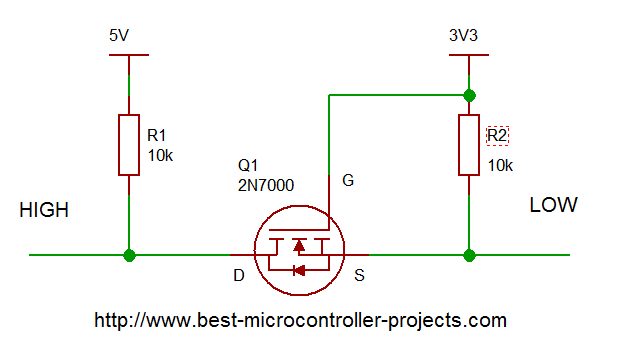 Logic Level Converter: How to create a bi-directional interface that automatically translates voltage levels using a subtle MOSFET property...
 -
Arduino Ultrasonic Sensors: A Beginner's Guide to the HC SR04
 A step-by-step guide to using Arduino ultrasonic sensors for object detection and distance measurement. Details the libraries you need, example code and circuit diagram.
 -
Arduino Humidity Sensor: A Beginners Tutorial on the DHT11 sensor
 Get started with an Arduino humidity sensor using the DHT11, which reports both humidity and temperature. Complete guide with full code for using this sensor
 -
A beginners Arduino Project to Control an LED with a Button
 This beginners guide shows you how to build a simple Arduino circuit to control an LED using a push button. Full connection details and example program included...
 -
Arduino digitalRead; A tutorial on Reliably reading Push Buttons
 In this beginner Arduino digitalRead tutorial you'll learn how to use the digitalRead function to read a button avoiding switch bounce. Full example code and explanation included
you so so so much
for all the information
you have provided in
your site it's
SUPERB and FANTASTIC."
- Ranish Pottath
the best and my favorite.
I find here many useful
projects and tips."
- Milan
bursach<at>gmail.com<
very, very easy and nice
to navigate!"
- Matt
matt_tr<at>
wolf359.cjb.net
"I am a newbie to PIC
and I wanted to say
how great your
site has been for me."
- Dave
de_scott<at>bellsouth.net
and perfect work.
congratulations."
- Suresh
integratredinfosys<at>
yahoo.com
words to define
yourweb site.
Very useful, uncovered,
honest and clear.
Thanks so much for
your time and works.
Regards."
- Anon

Comments
Have your say about what you just read! Leave me a comment in the box below.
Don’t see the comments box? Log in to your Facebook account, give Facebook consent, then return to this page and refresh it.